


Wisper for Mac
Hold right ⌥. Dictate anywhere.
Talk in Slack, Gmail, Notion, Cursor — anywhere there’s a cursor. Wisper pastes clean text the moment you let go.
macOS 14 Sonoma or later · Apple silicon and Intel
Everything it does
More than a hotkey.
Home
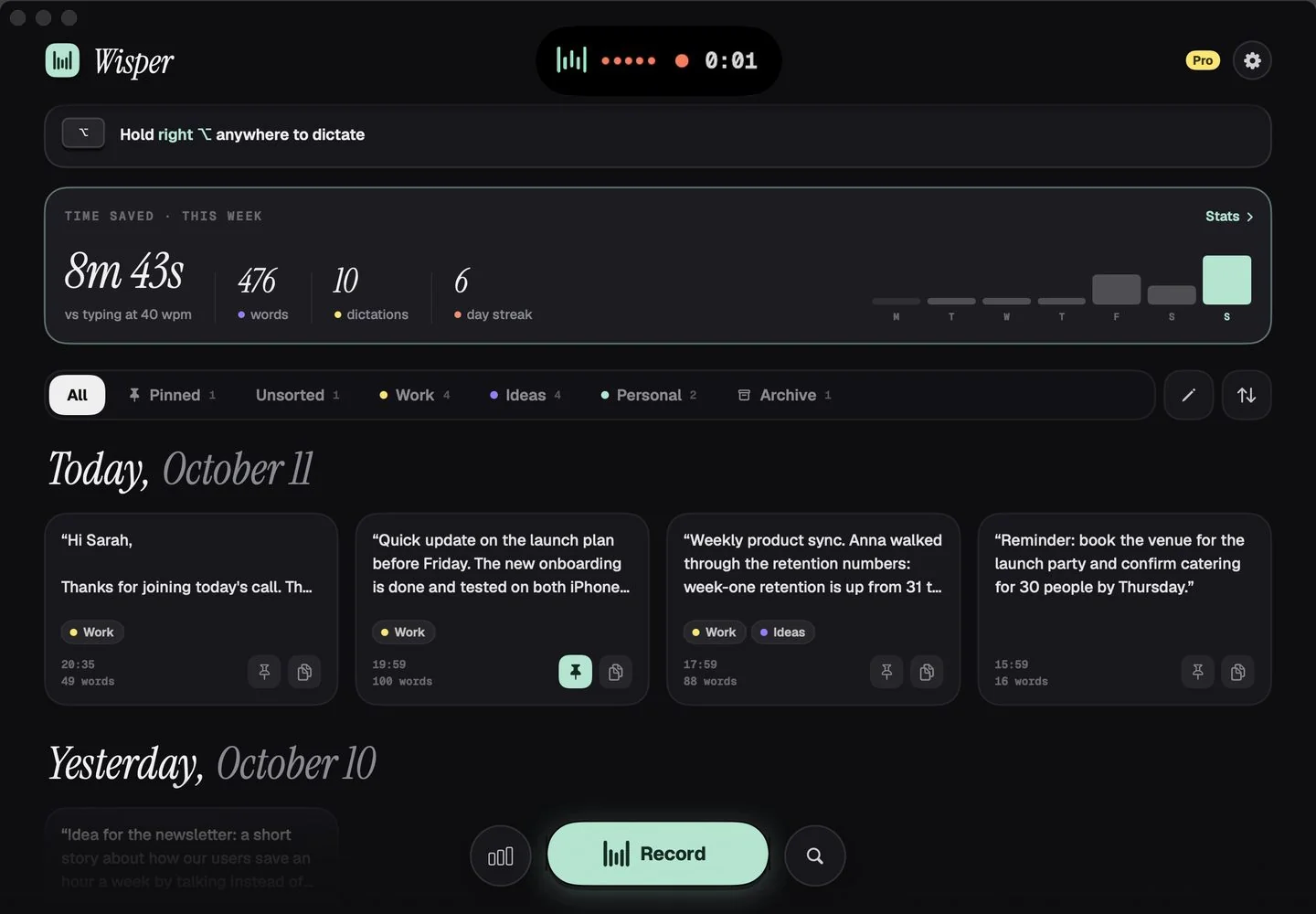
Hold right ⌥. Talk anywhere.
Every dictation lands in your history — by day, tagged Work, Ideas or Personal, with time saved this week.
HUD & Wisper bar
Small on screen. Never in the way.
A tiny capsule shows you’re heard — with a wave that follows your voice. Put it top or bottom, left, center or right, or let it grow out of the notch.
- Floating chip or notch island
- Always-on Wisper bar: hover to dictate or switch language
- Hands-free: double-tap, talk, tap to stop
Only on Mac
Change the tone mid-sentence.
Press 1–9 while you talk. The same thought comes out as an email, a Slack message, a code comment or a prompt.
Try it: click the keys.
Command mode
Select any text. Say what to change.
Hold right ⌥ with text selected and say “shorter”, “friendlier”, “in Spanish”. Or save a transform on a hotkey.
Replaced in place. Undo works like it always does.
Your toolkit
Make it yours.
Say “my email”. Done.
Phrases that expand into links, addresses, signatures.
Names and jargon, right.
Add words, or accept suggestions from your dictations.
Speak once, write in another.
Switch with ⌃⌥L or from the Wisper bar.
Meetings → summary. Lectures → flashcards.
Record on your Mac, then chat with it or rewrite in any tone.
• Ship Android offline mode next sprint
• Anna owns the pricing test
• Review deck on Friday 3pm
Insights
See the time you save.
History & tags
Find anything you said.
Setup in a minute
Two permissions, and why.
Microphone so Wisper can hear you. Accessibility so it can paste where your cursor is. Nothing else.
1 · Allow the microphone
macOS asks the first time you dictate. Click Allow.
2 · Open Accessibility
Wisper opens System Settings → Privacy & Security → Accessibility for you.
3 · Switch Wisper on
That’s it. Hold right ⌥ in any app.
Mac questions.
Why does Wisper need Accessibility?
To paste text into the app you’re using and to read your selection in Command mode. Without it, Wisper copies the text and you press ⌘V.
Which hotkeys can I use?
Fn, right ⌥ Option or ⌥W. Hold to talk, double-tap for hands-free.
Which macOS versions are supported?
macOS 14 Sonoma and later.
Does it work offline on Mac?
No, Mac needs a connection. Offline mode is on Android today.
Is it the same subscription as iPhone?
Yes. One purchase covers Mac and iPhone (Universal Purchase).